The web portal of the Governor/Chancellor has been launched
from August 14th 2007. One of the characteristic features of
this portal is "Write to Chancellor".
This feature has been developed to allow full duplex communication
between the students, faculty and staff of the University with
the Chancellor.
A brief guideline on how to use this feature:
1. Internet browser address of the portal
is www.governorpunjab.gov.pk
2. On the home page you can find the link of
"Write to Chancellor"
Screen 1 |
 |
3. By clicking on the link you can find the page:
Screen 2 |
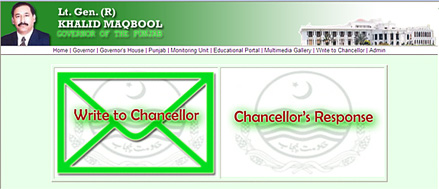 |
4. For launching a complaint/request you can click
on the block "Write to Chancellor"
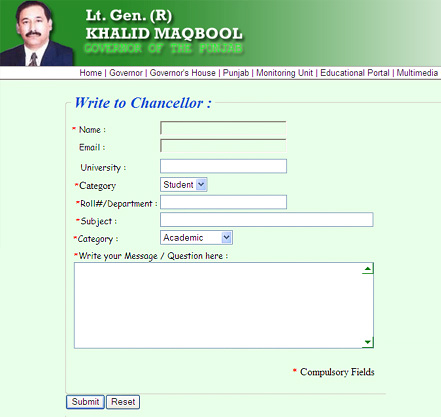
5. Now you can find the form “Screen
3” to be filled online with guidelines to fill up the
necessary filed under the tag of “asteriks”. After
filling the form you can submit your request /complaint by clicking
the "Submit" button on the same screen.
Screen 3 |
 |
On the next screen you would be given a "reference
identification number" to track your request/complaint.
6. By clicking on"Chancellor’s Response"
at "Screen 1" you can see your reply/response
from the Chancellor.